Make A One Time ACH Payment (Debit)
Initiate a one-time CCD, PPD, TEL or WEB collection request without setting up a template.
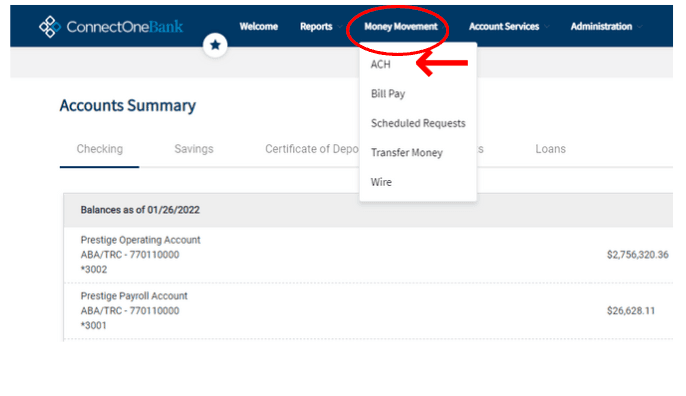
Select ‘ACH' under ‘Money Movement’.
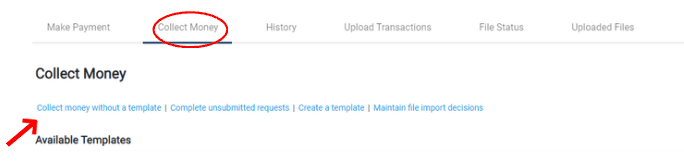
Go to the 'Collect Money' tab
and select 'Send money without a template'.
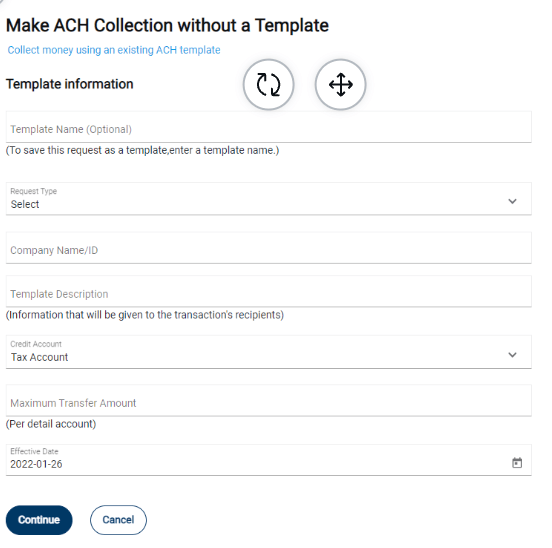
Enter the template information required and click 'Continue'.
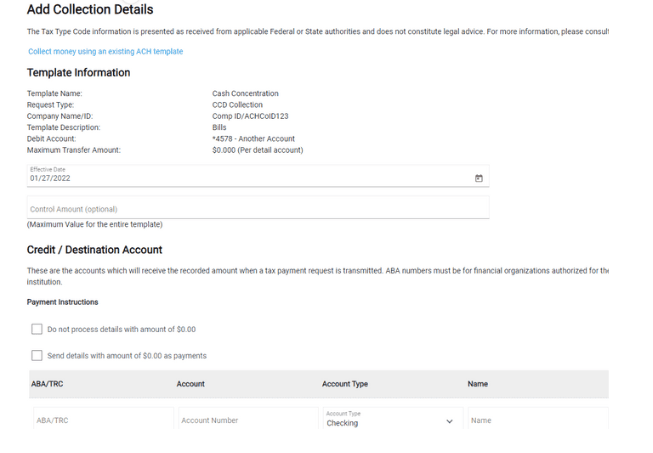
Enter the effective date along with the credit/destination account(s) details. Once complete, click 'Continue'.
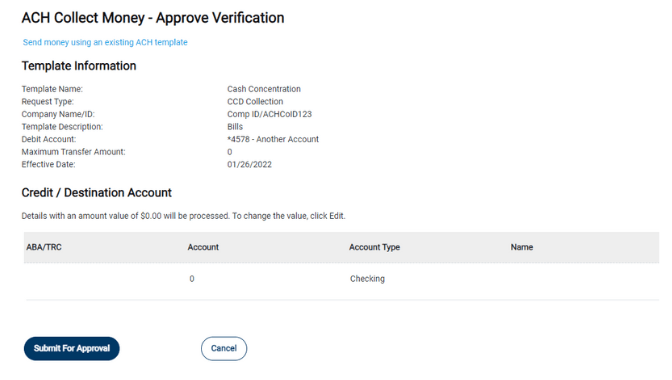
Review all of the payment details. When ready, select one of the following options:
• Approve - to approve the payment request
• Submit for Approval - to submit the request into the approve/transmit queue
Optional 'Collection Instructions'
Do not process details with amount of $0.00 Used to process only details with a dollar amount
Send details with amount of $0.00 as collections Used to process all details